# KDS (Kitchen Display System)

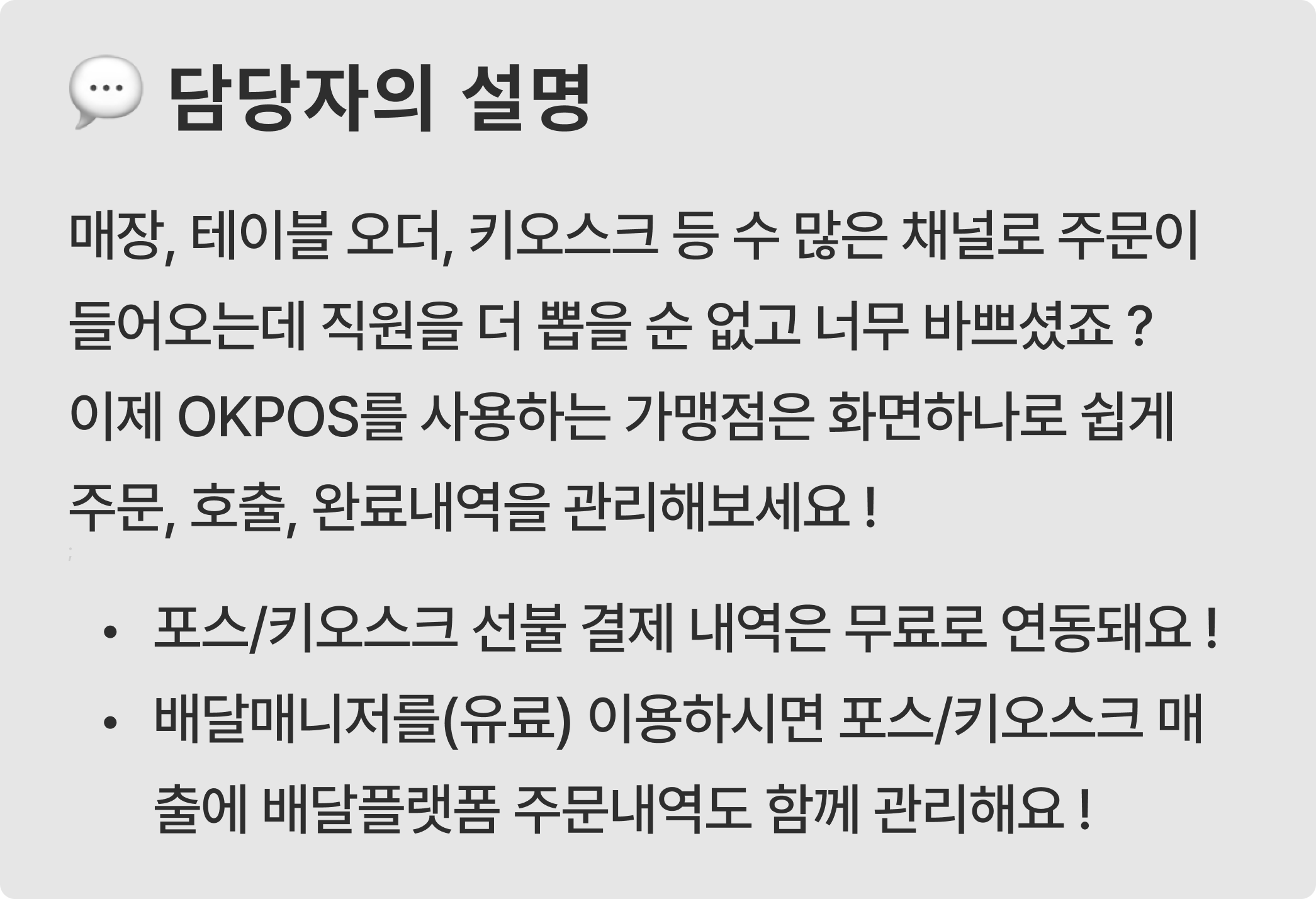
## 💁‍♀️다양한 채널에서 접수되는 주문을 화면 하나로 편리하게 OKPOS KDS !

<figure><img src="/files/tYyoOGlJ1lDfZZAaXJQ9" alt=""><figcaption></figcaption></figure>

#### :one: KDS(Kitchen Display System)는 주방 디스플레이 시스템으로, 주방에서 주문을 효율적으로 관리할 수 있는 시스템이에요.

#### :two: 접수된 주문을 순서대로 확인하고, 음식이 준비되면 손님을  알림톡, 진동벨로 호출할 수 있어요.

***

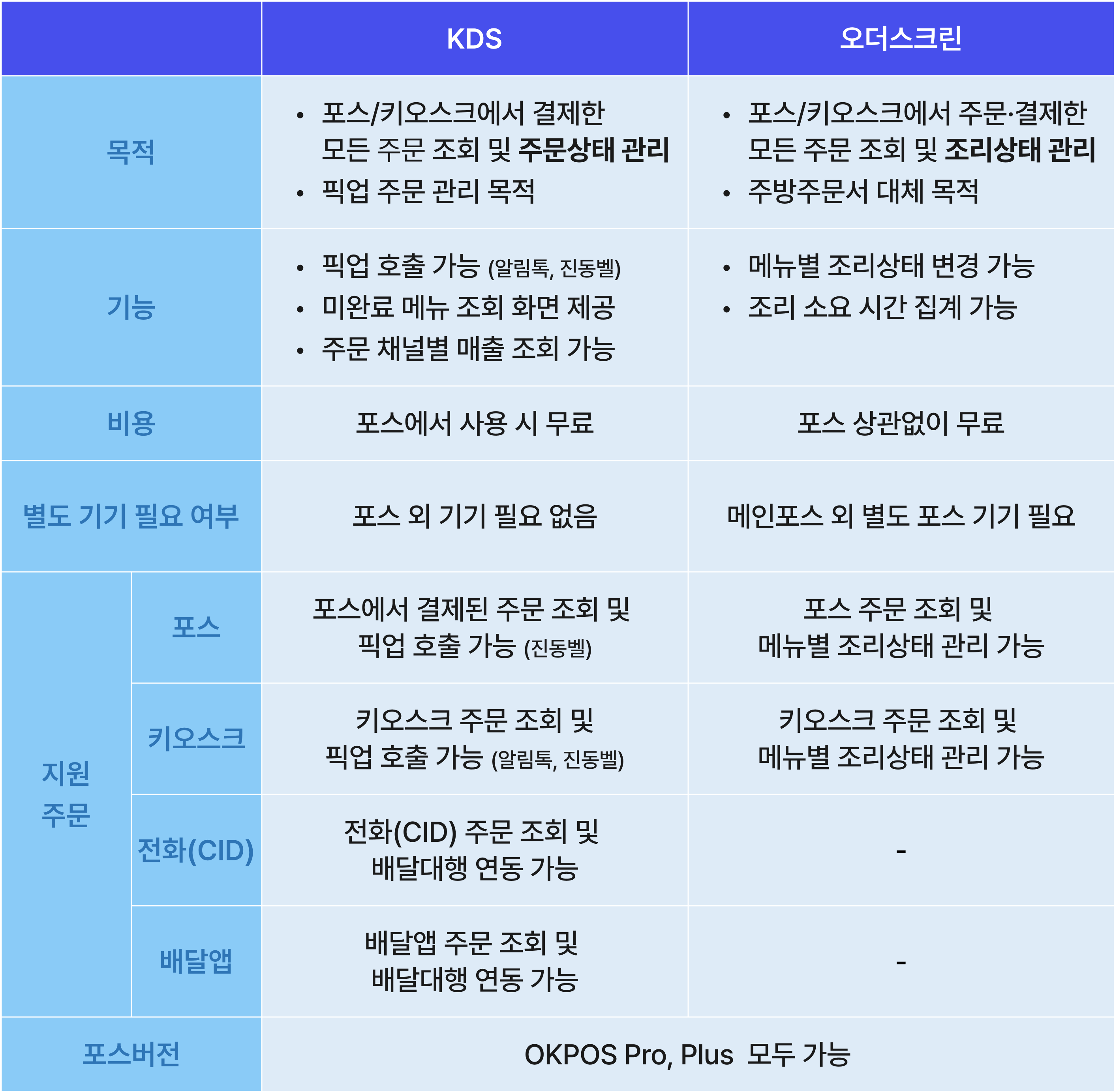
## 💁‍♀️오더스크린과 어떤 차이가 있나요 ?

<figure><img src="/files/0smBcxR42z2mUFQ0ixL1" alt=""><figcaption></figcaption></figure>

***

💁‍♀️PDF 메뉴얼은 여기 있어요 !

{% file src="/files/meaJTTSfhcHrQH49sPHH" %}

***

---

# Agent Instructions: Querying This Documentation

If you need additional information that is not directly available in this page, you can query the documentation dynamically by asking a question.

Perform an HTTP GET request on the current page URL with the `ask` query parameter:

```
GET https://okpos.gitbook.io/okpos/table_qr_pay/kds-kitchen-display-system.md?ask=<question>
```

The question should be specific, self-contained, and written in natural language.
The response will contain a direct answer to the question and relevant excerpts and sources from the documentation.

Use this mechanism when the answer is not explicitly present in the current page, you need clarification or additional context, or you want to retrieve related documentation sections.